

Table of Contents
- Why Verifying Your Hardware Wallet Authenticity Matters
- Signs of a Fake Hardware Wallet to Watch For
- Physical Inspection: Packaging, Seals, and Device Condition
- Hardware Wallet Authenticity Check Using Official Software
- How to Verify Hardware Wallet Firmware and Cryptographic Status
- Hardware Wallet Recovery Phrase Safety During Setup and Testing
- What to Do If Your Device Fails Authentication or Shows Signs of Tampering
- Frequently Asked Questions
Last Updated: October 17, 2026
Why Verifying Your Hardware Wallet Authenticity Matters
A counterfeit hardware wallet can steal your private keys the moment you set it up, wiping out your portfolio before you realize what happened.
That's why you must verify authentic hardware wallet devices before use is non-negotiable.
Counterfeits are profitable because they look nearly identical to genuine devices, often in convincing packaging.
The good news: you can verify authenticity before trusting any device with your coins. This guide walks you through every step.
Signs of a Fake Hardware Wallet to Watch For
Red flags appear early, and a counterfeit usually shows several at once.
Common indicators of a fake hardware wallet:
- Packaging feels cheap or flimsy
- Text is blurry, misspelled, or misaligned on the box
- Serial numbers don't match official records
- The device feels lighter or heavier than it should
- Buttons stick or feel loose
- The screen has dead pixels or poor color
- USB connector is loose or doesn't fit snugly
- No official hologram or security seal
- Device boots slowly or displays unusual startup messages
Where you buy matters too. The Crypto Merchant maintains strict supply chain controls as an authorized distributor of Trezor and SecuX hardware wallets.
Buying from Amazon, eBay, or unknown retailers means no guarantee of authenticity, even devices sold as "new" can be refurbished, tampered with, or completely fake. The cheapest price often signals the highest risk.
Physical Inspection: Packaging, Seals, and Device Condition
Start your verification the moment the device arrives. Examine the packaging before opening anything.
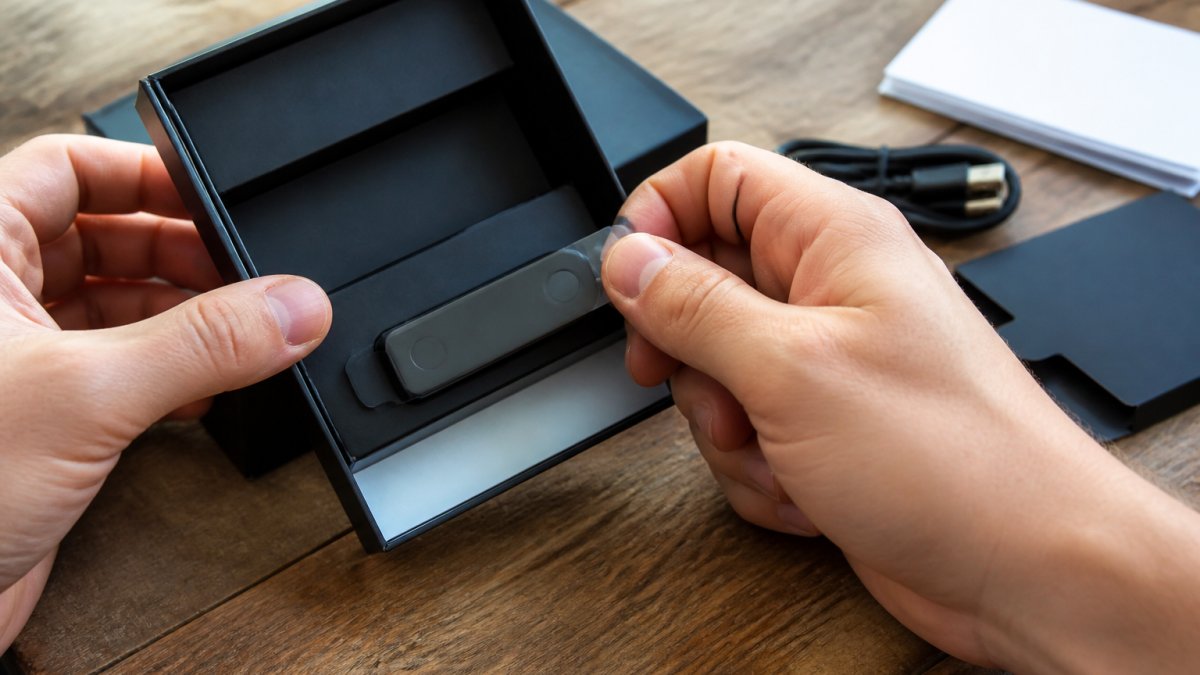
What authentic packaging looks like:
- Official manufacturer logo is crisp and clear
- Text is perfectly aligned and easy to read
- Security seals are intact and tamper-evident
- Serial numbers are printed (not handwritten)
- Box feels sturdy and professional
- All text matches the official product language
Open the package carefully. The Trezor Model One ships with a Micro-USB to USB-A cable, two 24-word wallet backup cards, and a getting started card, missing items signal a problem.

Inspect the device closely: pixels and colors should be uniform, buttons should click smoothly, and the casing should feel solid, not plasticky.
A genuine USB port fits snugly, loose connectors indicate poor manufacturing or tampering. Weight should match official specs: the Trezor Model One weighs 12 g.
Hardware Wallet Authenticity Check Using Official Software
Physical inspection catches obvious fakes.
Download the official wallet software directly from the manufacturer's website, never from email or ad links.
Connect the device with the included cable and launch the official software.
What to verify in the software:
- Device is recognized without driver installation
- Model name matches your purchase
- Firmware version is current (not outdated)
- No error messages appear
- Device responds to all commands
- Screen displays correctly during setup
Counterfeits often fail here: they may not connect, the software may not recognize them, or the device freezes during initialization.
If your device connects and responds normally, you've passed the first software check. But there's more to verify.
How to Verify Hardware Wallet Firmware and Cryptographic Status
Physical inspection catches sloppy fakes; firmware and cryptographic checks catch sophisticated ones, but only if you understand what they actually prove.
 Trezor Model OneView product
What firmware signing actually verifies
Firmware is the code running on the device. Authentic firmware is signed by the manufacturer with a private key only they control.
What this proves: the firmware was produced by the manufacturer and has not been altered since signing. What it does not prove: that the physical hardware around the chip is genuine. A counterfeit can ship genuine signed firmware on cloned hardware. That is why firmware checks and hardware attestation are separate layers.
What cryptographic attestation adds
Attestation goes deeper. The device holds a private key fused into its secure element at manufacture, with the corresponding public key registered with the manufacturer.
What this proves: the secure element presenting the key is the one the manufacturer built and registered. What it does not prove: that the rest of the board, the screen, or the buttons are genuine.
The practical verification sequence
- Download the official software only from the manufacturer's own domain, typed by hand, never from an email link, ad, or search result.
- Connect the device with the cable that shipped in the box. A swapped cable can be a data-interception vector.
- Let the software read the device. Confirm the model name matches what you ordered.
- Note the firmware version shown. Compare it against the version listed on the manufacturer's official release page.
- If an update is offered, run it through the official software only. Watch for completion without errors, then re-check the version.
- If the software offers an attestation or "genuine check" step, run it and read the result carefully, a pass means the secure element is registered, not that every component is original.
Reading the results honestly
- Version matches the official release page and attestation passes: strong evidence of authenticity, but not proof of every component.
- Version is older than the latest release: normal for stock that sat in a warehouse; update through official software and re-verify.
- Version does not appear anywhere on the official release page: treat as counterfeit. Stop.
- Update fails, device freezes, or attestation errors out: stop. Do not proceed to setup.
Hardware Wallet Recovery Phrase Safety During Setup and Testing
Your recovery phrase is the master key to your cryptocurrency. If someone gets this phrase, they own your coins.
An authentic device generates a 12- or 24-word recovery phrase and displays it on its screen; write it down on the backup cards provided.
Safe recovery phrase handling:
- Write the phrase on the physical backup cards provided by the manufacturer
- Do not type it into a computer
- Do not photograph it
- Do not store it digitally
- Keep the backup cards in a secure location (safe, vault, safety deposit box)
- Never share the phrase with anyone, including customer support
The device then asks you to verify the phrase by selecting words in random order from a list.
Don't skip this step, a recovery phrase you can't reproduce is useless.
After verification, test the device with a small amount (like $5 or $10 worth).
What to Do If Your Device Fails Authentication or Shows Signs of Tampering
A failed check is a signal to stop and think in a fixed order. The right response depends on whether the device ever held funds, work through the branch that matches your situation.
Branch 1: The device failed before you ever set it up
This is the common case for a counterfeit bought from a marketplace reseller. The device has never generated a recovery phrase and has never seen a deposit.
- Stop. Do not complete setup. Do not create a recovery phrase on the device. Do not send cryptocurrency to any address it displays.
- Preserve evidence. Photograph the packaging, seals, serial number, and any error screen before you repack it. Sellers and payment processors ask for this.
- Contact the seller in writing. State that the device failed official verification and request a refund or replacement. Keep the correspondence.
- Escalate if needed. Open a dispute with your payment processor or card issuer within their stated window. Report the listing to the marketplace. Notify the manufacturer so they can track the counterfeit in circulation.
- Do not "try it anyway." A device that failed verification is not a bargain; it is a liability.
Branch 2: The device passed checks earlier and now fails or behaves oddly
This is the higher-stakes branch, because the device may already hold funds. A sudden change in behavior, unexpected firmware prompts, a screen that shows different addresses than the software, buttons that register phantom presses, warrants treating the device as potentially compromised.
- Stop using the device for new transactions. Do not approve any transaction it displays until you have verified the destination address independently.
- Do not enter your recovery phrase into anything, not the device, not the official software, not a "support" website. Legitimate verification never asks you to type a seed phrase into a computer or a web page.
- Move funds using a known-good path. The safest route is to restore your recovery phrase onto a second, independently verified device from a different supply chain, then send funds from the suspect device to addresses generated on the clean device.
- Retire the suspect device. Do not resell it, do not gift it, and do not attempt to repair it. Tampering evidence, broken seals, scratches around seams, signs of disassembly, should be documented and reported to the manufacturer.
Branch 3: You suspect tampering but the device still passes checks
Intact packaging and a passing attestation are not proof of safety. If something feels off, a seal that looks resealed, a cable that isn't the one pictured, a manual with a different print quality, trust the instinct enough to verify further. Re-run the official software check on a different computer, confirm the firmware version against the manufacturer's release page, and confirm the receiving address on the device screen matches the address shown in the software before any deposit.
What a good seller does differently
An authorized distributor should replace a device that fails verification at no cost, investigate how it entered the supply chain, and give you a written record of the resolution. A general marketplace seller may offer a refund only if you can prove the device is fake, which is why keeping photos and correspondence from step one matters. When you buy from an authorized source, the failed-check path is a customer-service process, not a dispute.
Frequently Asked Questions
How do I verify that my hardware wallet is authentic?
Verify authenticity in three stages: first, inspect the physical packaging for intact seals, correct branding, and professional printing quality; second, connect the device to the manufacturer's official software (Trezor Suite, Ledger Live, etc.) and check for any warnings or failed security checks; third, generate a test transaction with a small amount to confirm the device responds correctly. If any stage fails, stop and contact the retailer immediately.
What should I do if my hardware wallet arrives with a recovery phrase already written down?
Do not use that device. A legitimate hardware wallet never ships with a recovery phrase pre-written, it generates one only during your first setup. A pre-written phrase indicates the device has been initialized by someone else, compromising your security. Return it to the seller and request a replacement from an authorized distributor like The Crypto Merchant.
Can I verify a hardware wallet without entering my recovery phrase online?
Yes. Never enter your recovery phrase online or into any software. Instead, verify the device using only the manufacturer's official app (which you download from their verified website or app store), check the device's display for correct information, and perform a test transaction with a small amount. These methods confirm authenticity without exposing your recovery phrase to any internet-connected system.
What are the signs of a counterfeit hardware wallet?
Red flags include misspelled branding, loose or damaged packaging, missing security seals, weight that feels noticeably different from specifications, a display that flickers or shows incorrect colors, and firmware that fails to load or displays manufacturer warnings. If the official software immediately flags the device as unrecognized or tampered, that is definitive proof of counterfeiting or supply-chain compromise.


