

Table of Contents
- Why Buying a Secure Crypto Wallet Online Matters in 2026
- How to Choose a Crypto Wallet: Security, Compatibility, and Cost
- Best Hardware Wallets to Buy Secure Crypto Online
- Crypto Hardware Wallet for Beginners: Setup and Recovery Walkthrough
- Fake Crypto Wallets: How to Spot and Avoid Them
- Ledger Nano S Plus: A Closer Look at the $59 Workhorse
- Where to Buy Secure Crypto Wallets Online Safely
- Frequently Asked Questions
Last Updated: October 5, 2026
Why Buying a Secure Crypto Wallet Online Matters in 2026
The global crypto wallet market was valued at $15.5 billion in 2025 and is projected to reach $19.3 billion in 2026, according to Grand View Research's crypto wallet market report.
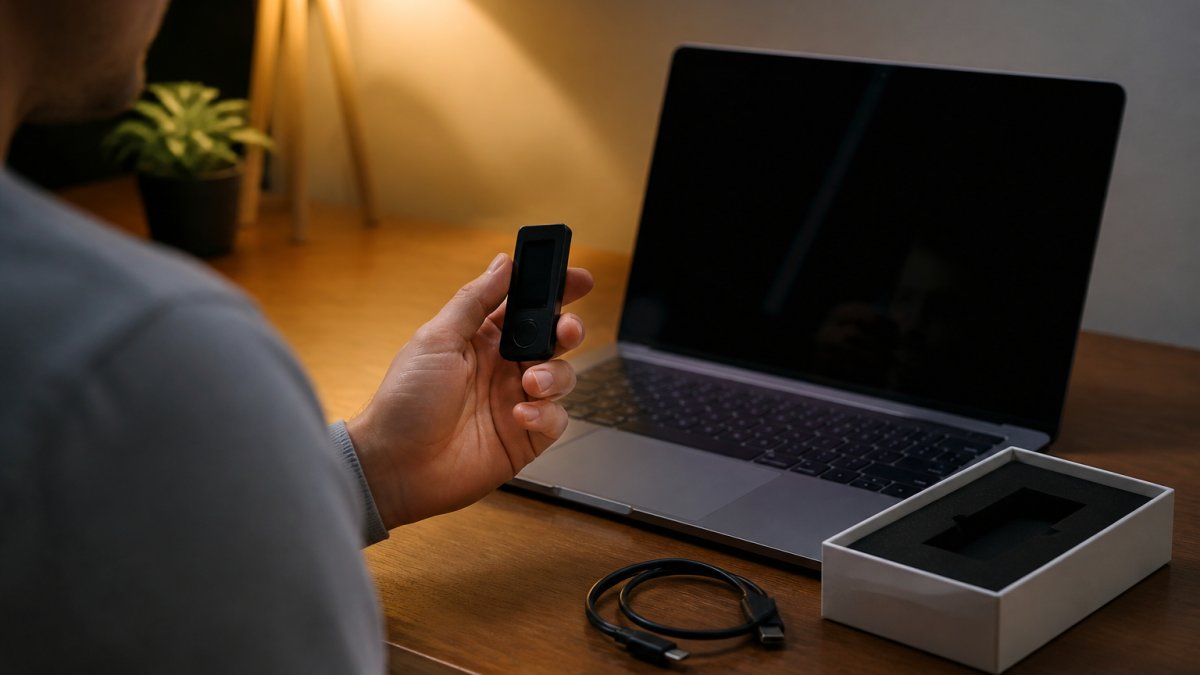
A crypto hardware wallet is a physical device that stores your private keys offline, away from internet-connected computers where malware and phishing attacks operate.
At The Crypto Merchant, we have sold these devices since 2017, back when the founders were coders, miners, and early adopters themselves.
How to Choose a Crypto Wallet: Security, Compatibility, and Cost
Start with three questions: does it keep keys offline, does it support your coins, and what does it cost over time?
Security Features That Actually Protect Your Keys
A Secure Element chip is a hardened microcontroller designed to resist physical and logical extraction attempts. Devices certified at CC EAL6+ meet a recognized standard for that protection.
Look for on-device transaction confirmation: if you approve a transfer on your computer screen rather than the wallet's display, malware can swap the recipient address before you sign.
A threat model is the honest way to decide how much wallet you need.
Asset Support, App Compatibility, and Total Cost of Ownership
Total cost of ownership means more than the sticker price. Add shipping, setup time, and whether the device works with your existing computer or phone.
| Wallet | Price | Connection | Best For |
|---|---|---|---|
 Trezor Model One |
$29.00 | Micro-USB | First-time buyers |
 Ledger Nano S Plus |
$59.00 | USB-C | Desktop and Android users |
 Trezor Model T |
$59.00 | USB-C | Touchscreen preference |
| Trezor Safe 3 | $79.00 | USB-C | Secure Element on a budget |
| Blockstream Jade | $79.99 | USB | Bitcoin-only holders |
| Ledger Nano X | $99.00 | Bluetooth and USB-C | iOS and Android users |
| Ellipal Titan | $139.00 | Air-gapped | Fully offline signing |
| BitBox02 Multi | $149.99 | USB-C | Swiss-made simplicity |
| Trezor Safe 5 | $169.00 | USB-C | Premium Trezor buyers |
| Cypherock X1 | $169.99 | USB-C | Split-key storage |
Beyond the device, budget for flat shipping from an authorized distributor, network fees that vary with congestion, and exchange withdrawal fees. Optional recovery products like a steel backup plate or split-key kit add cost but remove a single point of failure.

Compatibility and Accessibility Checklist
Before you check out, confirm the device works with your existing hardware. Some wallets require 64-bit Windows 10 or 11, macOS Monterey or Ventura, or a recent Ubuntu LTS release, and a few do not support ARM processors or Chromebooks.
Accessibility matters too. A small monochrome screen with two buttons is harder to use than a color touchscreen, especially with low vision or limited dexterity.
Buying for Different User Needs
Match the wallet to the job. A first-time buyer holding under a few thousand dollars is well served by a $29 to $79 device with a clear setup flow.
Best Hardware Wallets to Buy Secure Crypto Online
Our picks cover the full range of budgets and use cases. Every device stores keys offline; the differences come down to connectivity, asset support, and transaction confirmation.
Ledger Nano S Plus: Best Value USB-C Wallet
The Ledger Nano S Plus is our top pick for most buyers. At $59, it pairs a CC EAL6+ Secure Element chip with a 1.1-inch OLED display for reviewing transactions before approval.
 Ledger Nano S PlusView product
It manages 15,000+ coins, tokens, and NFTs through Ledger Wallet and compatible third-party apps, and connects over USB-C to a desktop or Android phone. It does not work with iOS devices or for mining.
Trezor Model One and Model T: Best for Beginners and Touchscreen Fans
The Trezor Model One costs $29 and remains the cheapest credible entry point, with two physical buttons, a 128 × 64 pixel OLED display, open-source software, and a 24-word backup. Trezor lists maintenance through at least 2031 and critical security fixes through at least 2036.
 Trezor Model TView product
 Trezor Model OneView product
The Trezor Model T, at $59, swaps buttons for a 1.54-inch color touchscreen. Enter your PIN and approve transactions directly on the screen.

Ledger Nano X, Trezor Safe 3, and Trezor Safe 5: Bluetooth and Secure Element Picks
The Ledger Nano X ($99) adds Bluetooth, making it one of the few hardware wallets compatible with both iOS and Android. It holds up to 100 coin applications at once.
The Trezor Safe 3 ($79) and Trezor Safe 5 ($169) both include a Secure Element at EAL6+, PIN protection, and device-entry passphrase. The Safe 5 adds a larger color touchscreen.
BitBox02, Blockstream Jade, Ellipal Titan, and Cypherock X1: Specialized Options
The BitBox02 Multi ($149.99) backs up your seed to the included microSD card, supports Bitcoin, Ethereum, Litecoin, and ERC20 tokens, and adds coin control for privacy.
Ledger Nano S Plus Hardware Wallet →
Blockstream Jade ($79.99) focuses on Bitcoin and Liquid assets with air-gapped signing and address randomization. The Ellipal Titan ($139) goes fully air-gapped, communicating only by QR code. The Cypherock X1 ($169.99) splits your private key across one Vault and four Cards, so no single component holds the complete key.
Crypto Hardware Wallet for Beginners: Setup and Recovery Walkthrough
Setup takes about 20 minutes on most devices. Here is the sequence we walk new buyers through.
- Unbox and inspect the seal and packaging for tampering
- Connect the device to your computer using the included cable
- Install the official companion app (Ledger Wallet or Trezor Suite)
- Choose "set up new wallet" and set a PIN directly on the device
- Write down the recovery phrase by hand, in order, on the supplied cards
- Confirm the phrase on the device when prompted
- Send a small test transaction before moving your full balance
The recovery phrase is the wallet. Anyone with those words controls the assets, so store them offline and never type them into a website or app.
Fake Crypto Wallets: How to Spot and Avoid Them
Counterfeit hardware wallets arrive pre-initialized, with a recovery phrase already printed in the box, if your device comes with a seed phrase in the packaging, it is compromised. The harder problem is a device that looks authentic, ships in a sealed box, and was tampered with between the factory and your door.
How to Verify an Authorized Seller Before You Buy
The safest purchase starts before checkout. Confirm the seller is listed as an authorized distributor or reseller on the wallet maker's own website, not the seller's marketing page. Check for a real business address, a working phone number, and a return policy that names the wallet brand.
A 2024 study by Y. Yu and coauthors examined how cryptocurrency users choose and secure their wallets through interviews with 24 users, published by ACM's study on how crypto users choose and secure wallets.
Safe Checkout and Payment Practices
Pay with a method that gives you recourse. Credit cards and major payment processors offer dispute rights if the package never arrives or the device is counterfeit; peer-to-peer transfers and gift cards do not. Be wary of listings far below MSRP, a $29 Trezor Model One sold for $12 is almost certainly not a Trezor. Check that checkout uses HTTPS and the domain matches the seller you intended; phishing sites buy lookalike domains and run paid ads against the exact keyword you searched.

Tamper-Evident Packaging and Arrival Inspection
Inspect the package before opening the device. Tamper-evident seals should be intact, with no signs of reheating, peeling, or replacement. The box should include the manufacturer's documentation, not a photocopy, and the device should have no scratches, residue, or pre-printed recovery card. If anything looks off, stop, photograph the packaging, and contact the seller before connecting the device.
Firmware and Recovery Phrase Verification
Once ready to set up, install the official companion app from the manufacturer's website, not a search result or app-store lookalike. Let the app verify the device's firmware and offer an update if available. Generate the recovery phrase yourself on the device, write it down by hand, and confirm it on the device when prompted. Never accept a phrase that arrives printed, typed, or emailed, and never enter your phrase into a website, chat, or support form.
- Buy from an authorized distributor, not a third-party marketplace listing
- Inspect the tamper-evident seal before opening
- Generate the recovery phrase yourself on the device during setup
- Verify firmware authenticity through the official app
- Treat any pre-filled phrase, scratch-off seed card, or "bonus" wallet as fraudulent
Ledger Nano S Plus: A Closer Look at the $59 Workhorse
Why does one device keep appearing at the top of our recommendation list? Because it hits the price-to-capability ratio most buyers need.
The Nano S Plus measures 62.4 × 17.4 × 8.2 mm and weighs 21 g, so it travels easily.
In the box: the wallet, a USB-C to USB-A cable, three recovery sheets, a keychain strap, and a safety leaflet, a complete first hardware wallet kit at a price that does not punish you for starting small.
Where to Buy Secure Crypto Wallets Online Safely
Buying safely comes down to the seller, not the device. An authentic wallet from an unauthorized reseller can arrive tampered with, and you will not know until your funds are gone.
The Crypto Merchant is an authorized distributor of Trezor and SecuX hardware wallets, founded in 2017 by early crypto adopters, coders, miners, and investors. Every unit we ship is inspected and verified before it leaves our warehouse.
Frequently Asked Questions
What is the safest online crypto wallet?
The safest option is a hardware wallet that keeps your private keys offline. Devices like the Ledger Nano S Plus ($59) and Trezor Safe 3 ($79) use a Secure Element chip with CC EAL6+ certification and require on-device confirmation for every transaction. Buying from an authorized seller like The Crypto Merchant ensures you receive a verified, untampered unit.
What are fake crypto wallets and how can I avoid them?
Fake crypto wallets are counterfeit or tampered devices sold through unauthorized channels. They may arrive with a pre-written seed phrase or modified firmware designed to steal your funds. To avoid them, buy only from authorized distributors, inspect the packaging for tamper-evident seals, and never use a seed phrase that comes pre-filled. If a deal seems too good to be true, it probably is.
Is a hardware wallet safer than an online crypto wallet?
Yes. Hardware wallets store your private keys offline, away from malware, phishing, and exchange breaches. Software wallets and online wallets keep keys on internet-connected devices, which exposes them to remote attacks. A hardware wallet like the Trezor Model T ($59) or Ledger Nano X ($99) adds a physical layer of protection.
Where should I buy a crypto hardware wallet?
Buy from an authorized distributor or the manufacturer's official store. Authorized sellers guarantee authenticity and can support you if something goes wrong. The Crypto Merchant has been an authorized Trezor and SecuX distributor since 2017, offering verified hardware wallets with expert guidance. Avoid marketplaces and third-party sellers where tampered devices have been reported.
Do I need a hardware wallet to store cryptocurrency?
You do not need one, but it is the most secure option for any meaningful amount. Software wallets work for small, active balances, but they remain vulnerable to malware and phishing. Hardware wallets like the Ledger Nano S Plus or Trezor Safe 5 keep keys offline and require physical confirmation for transactions. If you hold long-term savings or a large portfolio, a hardware wallet is worth the one-time cost.
The gap between holding crypto and securing it comes down to one purchase and one habit: buying from a verified seller and keeping your recovery phrase offline. The Crypto Merchant stocks authentic Ledger, Trezor, BitBox02, Blockstream, Ellipal, and Cypherock wallets, each inspected before shipping and backed by our team's guidance from setup through recovery. Shop now and give your digital assets the offline protection they need.


