

Table of Contents
- What Is a Hardware Wallet and Why Beginners Need One
- Hardware Wallet vs Software Wallet: Which Is Right for You
- Top Hardware Wallets for Beginners: Quick Comparison
- How to Set Up a Hardware Wallet: Step-by-Step Setup Guide
- How to Keep Seed Phrases Safe: Protecting Your Recovery Code
- Security Features That Matter for Beginners
- Frequently Asked Questions
Last Updated: September 28, 2026
What Is a Hardware Wallet and Why Beginners Need One
A hardware wallet is a physical device that stores your cryptocurrency's private keys offline, keeping your digital assets protected from hackers and malware. Unlike software wallets on your computer or phone, hardware wallets keep your keys completely isolated from internet-connected devices, which is why they're called "cold storage."

If your private keys exist on any internet-connected device, they're vulnerable to theft. The best hardware wallet for beginners eliminates that risk by keeping keys offline. When you approve a transaction, the signing happens offline, then the signed transaction goes to the blockchain.
The global hardware wallet market is valued at USD 0.72 billion in 2026 and is projected to grow at a compound annual growth rate of 25.59%, reaching USD 2.25 billion by 2031, according to Mordor Intelligence's hardware wallet market analysis. That growth reflects something important: more people are recognizing that true financial sovereignty requires self-custody, and self-custody requires hardware security.
With a hardware wallet, you stop worrying about exchange hacks, account freezes, or disappearances. Your assets are yours alone.
Hardware Wallet vs Software Wallet: Which Is Right for You
The choice between hardware and software wallets comes down to security versus convenience. Understanding the tradeoff helps you pick the right tool for your situation.
Software wallets live on your phone, computer, or web browser and offer instant access and quick approvals. The problem: your private keys exist on an internet-connected device. If compromised, your keys are exposed. Software wallets work for small amounts you spend regularly, but not for long-term holdings.
Hardware wallets store keys on an isolated device that only connects to the internet when you initiate a transaction. Your private keys never touch an internet-connected device. The tradeoff is friction: you need the physical device to approve transactions. But that friction prevents impulsive mistakes and keeps assets secure.
For beginners investing money you won't touch for months or years, a hardware wallet is non-negotiable. If trading actively or holding small amounts, a software wallet might work temporarily. Most people should start with hardware security from day one.
Top Hardware Wallets for Beginners: Quick Comparison
| Wallet | Price | Best For | Key Feature |
|---|---|---|---|
 Trezor Model One |
$29.00 | Budget-conscious beginners | Simple OLED display, two-button control |
| Safepal S1 | $49.99 | Portable security | Credit-card sized, air-gapped design |
| Trezor Model T | $59.00 | Users wanting touchscreen | Color touchscreen, USB-C connection |
| Ledger Nano S Plus | $59.00 | Multi-asset management | 15,000+ supported coins, USB-C |
| Blockstream Jade | $79.99 | Bitcoin and Liquid focus | Air-gapped signing, open-source |
| Trezor Safe 3 | $79.00 | Modern beginner experience | Secure Element, bright OLED display |
| Arculus Cold Storage Wallet | $99.00 | Mobile-first users | NFC tap-to-sign, no cables needed |
| BitBox02 (Multi) | $149.99 | Privacy-focused users | Automatic seed backup on microSD |
| BitBox02 (Bitcoin Only) | $149.99 | Bitcoin maximalists | Reduced attack surface, Bitcoin only |
| Trezor Safe 5 | $169.00 | Advanced users | Flagship model, all premium features |
Budget-Friendly Options Under $60
The best hardware wallet for beginners doesn't need to cost a fortune. Three solid options deliver excellent security at prices that won't break your budget.

Trezor Model One ($29.00) is the entry point. Trezor identifies the Model One as a legacy model and currently lists maintenance through at least 2031, with critical security fixes through at least 2036 (Authenticate Trezor Model One | Trezor Knowledge Base). The small OLED display shows transaction details and confirmation prompts. You approve actions with two physical buttons. The open-source design has been scrutinized by security researchers for years. Strengths: price and simplicity. Weaknesses: monochrome display and Micro-USB connection.
Safepal S1 ($49.99) is credit-card sized for portability. It uses an EAL 5+ secure element chip and features 100% air-gapped signing, the device never connects to the internet. You scan a QR code to approve transactions. Best for investors valuing portability and air-gapped security.
Trezor Model T ($59.00) features a 1.54-inch color touchscreen and USB-C. Ledger Nano S Plus ($59.00) uses a monochrome OLED display and USB-C. The Nano S Plus supports 15,000+ coins; the Model T offers support for crypto with on-device confirmation. Choose based on touchscreen preference (Model T) or asset support (Nano S Plus).
Mid-Range Wallets with Advanced Features
Step up to $79-$99, and you get devices designed with beginners in mind while offering the features that power users appreciate.
Trezor Safe 3 ($79.00) bridges simplicity and capability with an EAL6+ Secure Element chip and bright OLED display. Choose between standard 12-word or advanced Shamir Backup. Supports Coinjoin, Coin control, and Tor. Best for beginners wanting to grow into advanced features without upgrading.
Blockstream Jade ($79.99) is open-source and built for Bitcoin and Liquid holders. It supports address randomization and air-gapped sign-in. Best if your portfolio is 100% Bitcoin.
 Trezor Model OneView product
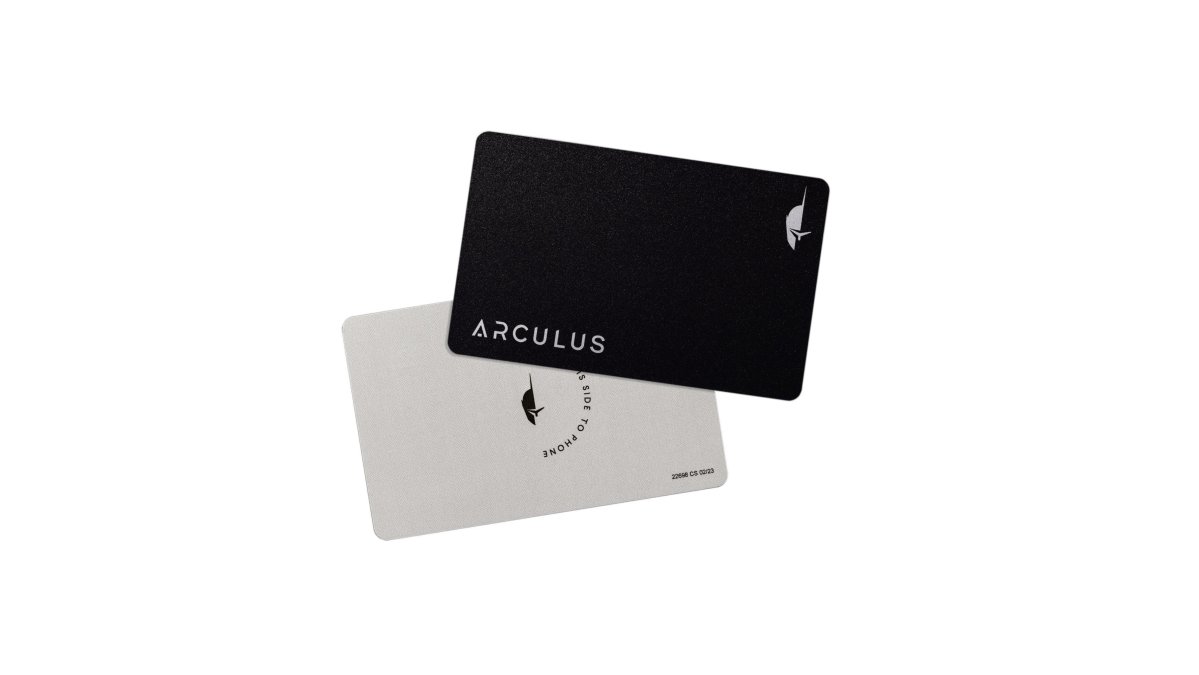
Arculus Cold Storage Wallet ($99.00) is a metal card using NFC to tap against your phone for transactions. No cables needed. You approve with biometric verification and a 6-digit PIN. Supports over 10,000 coins on 19 blockchains. Standout: mobile-first design.
Premium Wallets for Multi-Asset Management
At $149-$169, you're buying devices designed for larger portfolios and users who want every advanced feature available.
BitBox02 Multi Edition ($149.99) includes a microSD card that automatically backs up your encrypted recovery seed, eliminating handwriting mistakes. OLED display with touch sensors, one-click firmware updates. Supports Bitcoin, Ethereum, Litecoin, and ERC20 tokens. Open-source design. Best for diverse portfolios wanting automatic encrypted backup.
BitBox02 Bitcoin Only Edition ($149.99) strips the device to Bitcoin only for reduced attack surface. Best for Bitcoin maximalists. MicroSD backup and open-source design remain.
Trezor Safe 5 ($169.00) is Trezor's flagship with larger OLED display, premium build, and deeper third-party integrations. Supports multiple assets, advanced privacy, and staking. For investors with $50,000+ in holdings, the extra cost is negligible insurance.
How to Set Up a Hardware Wallet: Step-by-Step Setup Guide
Setting up a hardware wallet takes 20-30 minutes in five core steps. Don't rush.
How to Keep Seed Phrases Safe: Protecting Your Recovery Code
Your recovery phrase is the key to your entire portfolio. If someone gets it, they own your crypto. If you lose it, your crypto is gone.
Security Features That Matter for Beginners
Not all hardware wallets are built the same. Understanding what makes one more secure than another helps you pick the right device.
Frequently Asked Questions
What is the easiest hardware wallet for a beginner to use?
The Trezor Model One and Ledger Nano S Plus are among the easiest for beginners. Both feature intuitive interfaces, on-device confirmation screens, and straightforward setup through their respective companion apps. The Trezor Model One costs $29.00 and uses physical buttons for confirmation, while the Ledger Nano S Plus ($59.00) offers a monochrome OLED display. Choose based on whether you prefer button controls or a display interface.
How do hardware wallets protect my cryptocurrency from hackers?
Hardware wallets store your private keys offline in secure elements, keeping them isolated from internet-connected devices where malware operates. When you approve a transaction, the device signs it internally without exposing your private keys to your computer. This air-gapped design means hackers cannot access your keys remotely. Many wallets include additional protections like PIN codes, biometric authentication, and encryption to create multiple security layers.
Is a hardware wallet necessary for small amounts of crypto?
Even small amounts benefit from hardware wallet protection. Hackers target all account sizes, and losing access to a small portfolio through theft is still a complete loss of that investment. Hardware wallets range from $29.00 to $169.00, making them affordable for any portfolio size. The peace of mind and security standards justify the one-time cost regardless of your holdings.
What's the difference between a hot wallet and a cold wallet?
A hot wallet (software wallet) stays connected to the internet, making transactions quick but exposing your private keys to online threats. A cold wallet (hardware wallet) stores your private keys offline, eliminating internet exposure but requiring physical connection for transactions. Hardware wallets provide superior security for long-term storage and are ideal for beginners who want to protect their digital assets from cybersecurity threats.
Are hardware wallets from The Crypto Merchant authentic and secure?
Yes. The Crypto Merchant is an authorized distributor of Trezor and SecuX hardware wallets, guaranteeing authenticity and security for all products. As an authorized distributor established in 2017, the company ensures every device is genuine and has not been tampered with before delivery. This eliminates the risk of counterfeit or compromised wallets that can occur through unauthorized sellers.
Choosing the best hardware wallet for beginners comes down to your budget, your portfolio size, and how much friction you're willing to accept for security. The Crypto Merchant carries all of these options, verified for authenticity and backed by expert guidance. Start with a device that matches your current needs, you can always upgrade as your portfolio grows. The important step is moving off exchanges and into self-custody. That's where real financial sovereignty begins.


